





Draw Tattoo
Advertisement
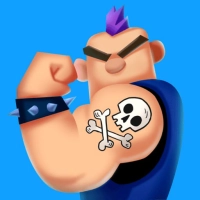 "Draw Tattoo"
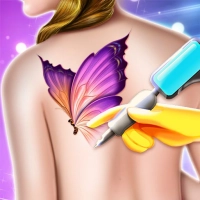
is a fun and addictive mobile game that allows players to create their own custom tattoos using a variety of
drawing tools and design options. Whether you're an aspiring tattoo artist or just looking to unleash your
creativity, this game offers endless opportunities for fun and experimentation.
"Draw Tattoo"
is a fun and addictive mobile game that allows players to create their own custom tattoos using a variety of
drawing tools and design options. Whether you're an aspiring tattoo artist or just looking to unleash your
creativity, this game offers endless opportunities for fun and experimentation.
In "Draw Tattoo",
players can choose from a wide range of tattoo designs and styles, including tribal, traditional, and modern
designs. They can also create their own custom designs using a variety of tools, such as brushes, colors,
and textures.
Once a design is complete, players can apply the tattoo to a virtual model and see
how it looks in real-time. They can also save their designs to their device and share them with friends and
family.
As players progress through the game, they can unlock new tools and design options,
allowing them to create even more intricate and detailed tattoos. They can also take on challenges and
complete tasks to earn rewards and unlock new content.
Overall, "Draw Tattoo" is a great game for
anyone who loves tattoos and wants to explore their creative side. With its intuitive design tools, stunning
graphics, and addictive gameplay, it is sure to provide hours of entertainment and fun for players of all
ages.
Information
Game category: Hypercasual
 PLAY
PLAYHow to play this game:
1. Launch the game and select the "Design" option to start designing your tattoo.
2. Choose
the body part where you want to place your tattoo. You can select from different options such as the arm,
back, chest, leg, or foot.
3. Choose the design of your tattoo. You can select from various options such
as animals, symbols, quotes, or custom designs.
4. Use the drawing tools to create your custom design. You
can draw freehand, add text, or choose from a variety of pre-designed shapes and patterns.
5. Customize
the size, color, and placement of your tattoo on the body part you've selected.
6. Once you're happy with
your design, select the "Ink" option to start the tattooing process.
7. Use the tattooing tools to apply
the ink to the skin. You'll need to carefully follow the lines of your design to create a realistic-looking
tattoo.
8. Take breaks during the tattooing process to let the skin heal and avoid overworking the area.
9. Once your tattoo is complete, share your design with your friends and family on social media.